For teams and small businesses
A back office for your team, without building one
Start with a database and a ready-made app in Protobase Cloud, give everyone the view they need, and ask the assistant when something should change. You see each change and its price before you approve it.
Early accessSign up with GitHub or email. Your first app is live in a few minutes. Plans from €0.99 a month.
See the plans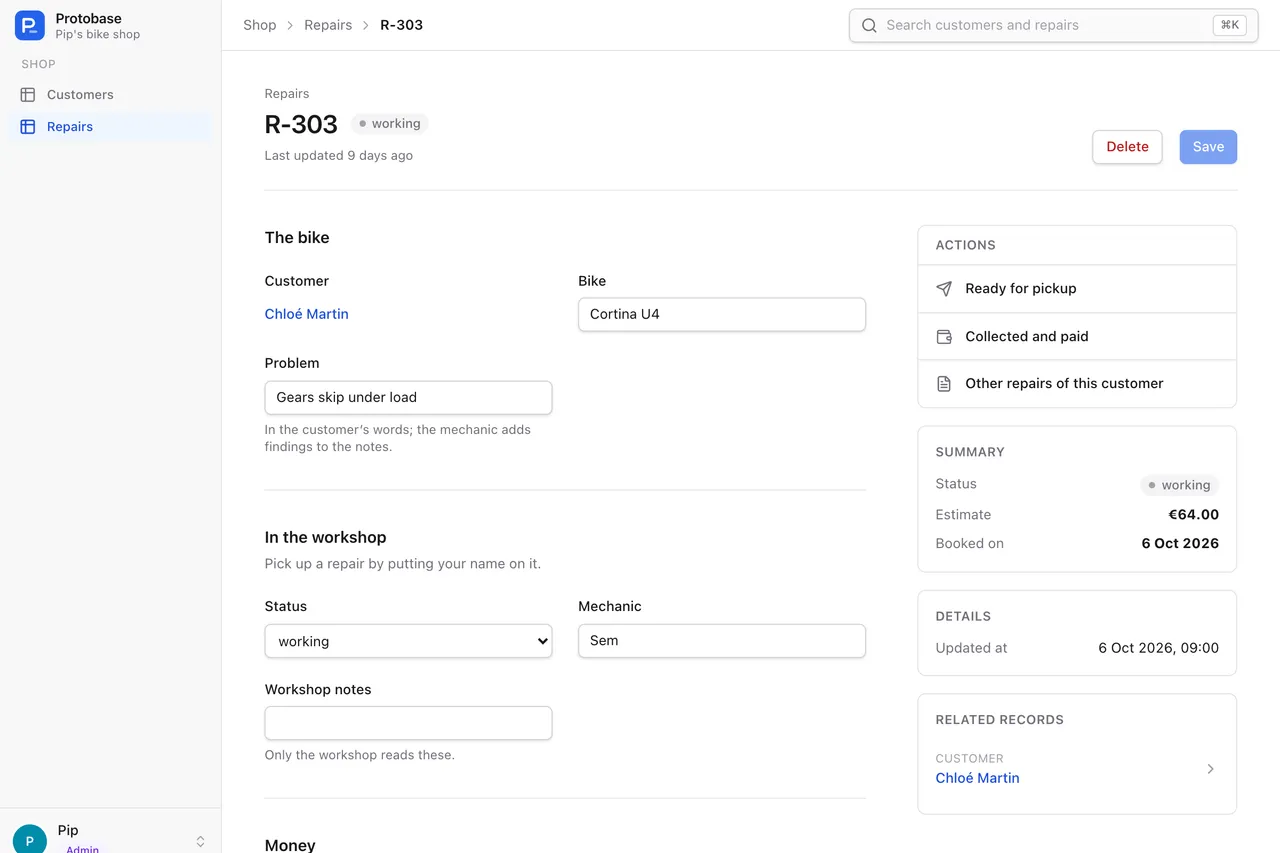
Start
Live in a few minutes
Nothing to install, and nothing to set up first.
- 01
Sign up
With GitHub, or with your email address and a six-digit code.
- 02
Pick a first app
An ERP with its base data, a real estate app, or an empty one that grows with each change you ask for.
- 03
Open it
It is live in a few minutes, with its own Postgres database, and opens with you signed in.
Your team
Everyone sees what they need, and nothing else
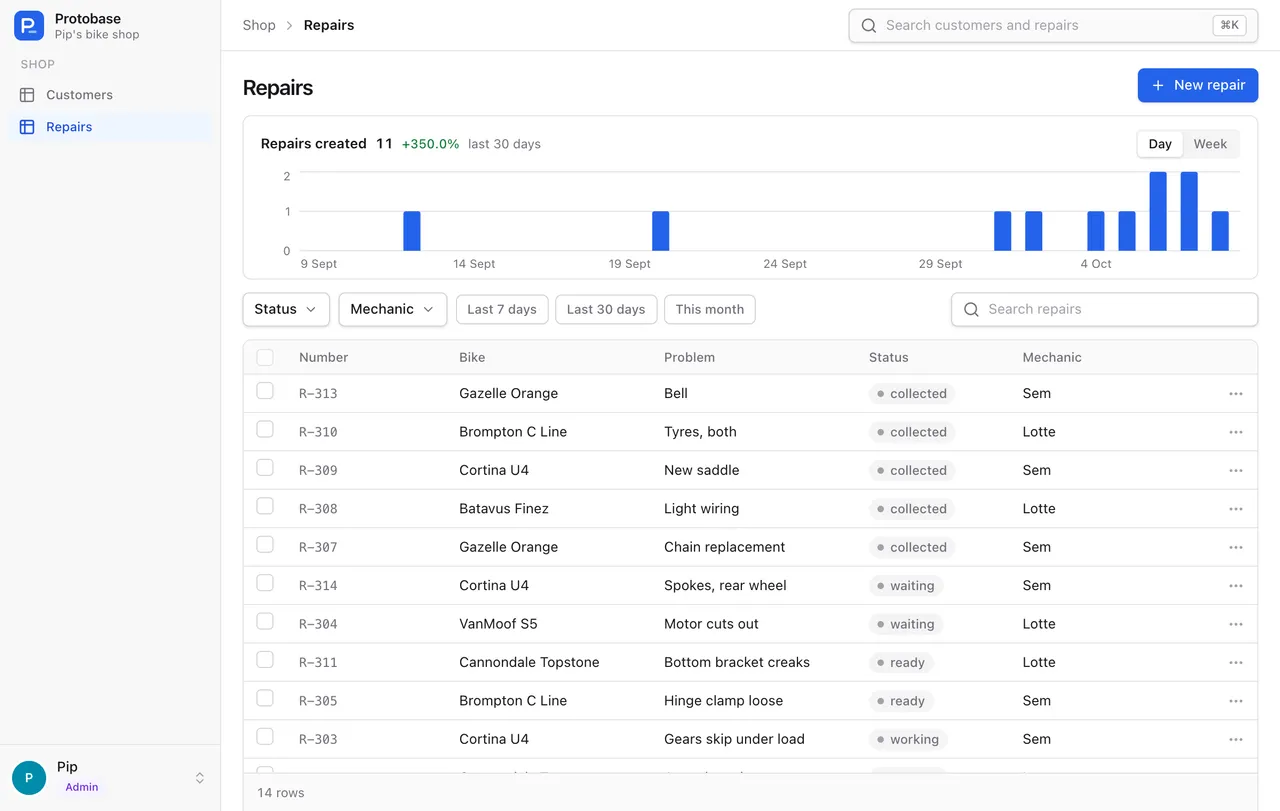
- Each role gets its own view. In the bike shop, the front desk sees the prices and the workshop does not.
- Access rules on the server decide what each person may read and change, down to single fields.
- Buttons for the moves people make all day, so nobody types a status into a dropdown.
- On a phone, a role can get the pages it uses most as tabs along the bottom.
Changes
Ask for a change, and approve it first
The assistant cannot approve, spend credits or deploy by itself. How the assistant works
- 01
Ask
Describe the change in plain words, in the console or inside your app.
- 02
See the plan and its price
The assistant reads your app and comes back with a plan and a price. Planning is free.
- 03
Approve
Nothing changes until you approve. You can also send it back with notes, or decline it.
- 04
Checked, then live
The change has to pass typecheck, tests, the build and protobase doctor before it deploys. If it fails, it costs nothing.
Overview
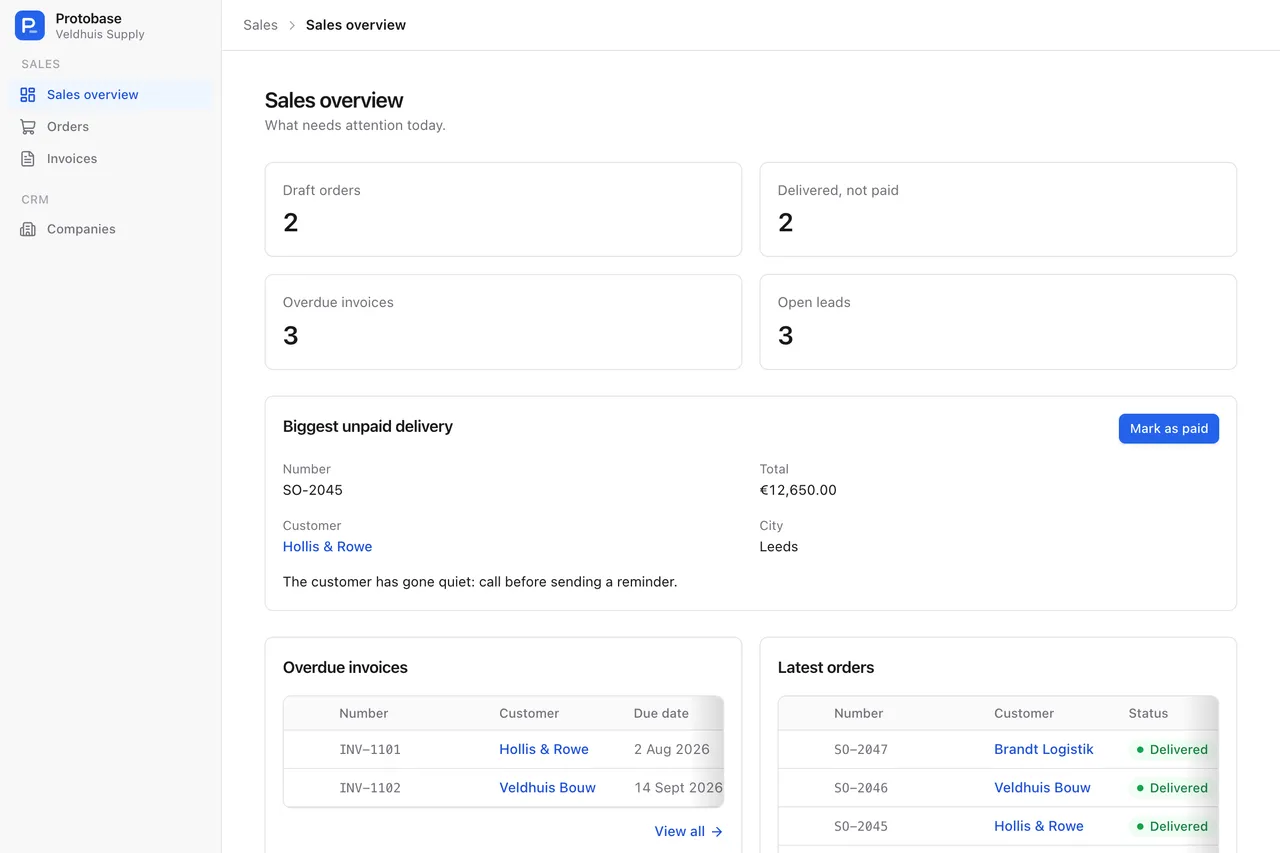
One page that says what needs attention
Each number links to the list behind it, the most urgent record sits on top with the button that deals with it, and every person sees only what their access allows.
Sign-in
Safe sign-in for the whole team
- Passkeys, so people sign in with Face ID, Touch ID, Windows Hello, a phone or a security key.
- Two-factor with an authenticator app or an emailed code, optional or required for everyone.
- Sign in with GitHub, or a six-digit code sent by email.
- An admin decides which methods count, and every change to that policy is recorded.
CostEarly access
A fixed monthly price
Every plan includes a Postgres database, hosting and monthly credits for the assistant. Your data sits in your app’s own database, and the code can live in your own GitHub repository. See all plans
Starter
€0.99
50 credits a month, for questions and small fixes
Pro
€19
1,500 credits a month
Business
€49
5,000 credits a month
Your back office, live in a few minutes
Sign up with GitHub or email, pick a starting point, and ask the assistant for what you need.
Start in the cloudEarly access Plans from €0.99 a month.