The admin app
The admin app your team works in
Every view you describe becomes part of one admin app that Protobase maintains: lists, filters, record pages, dashboards and buttons, on desktop and on phones, in light and dark.
Early accessSign up with GitHub or email. Your first app is live in a few minutes. Plans from €0.99 a month.
Or self-host it for free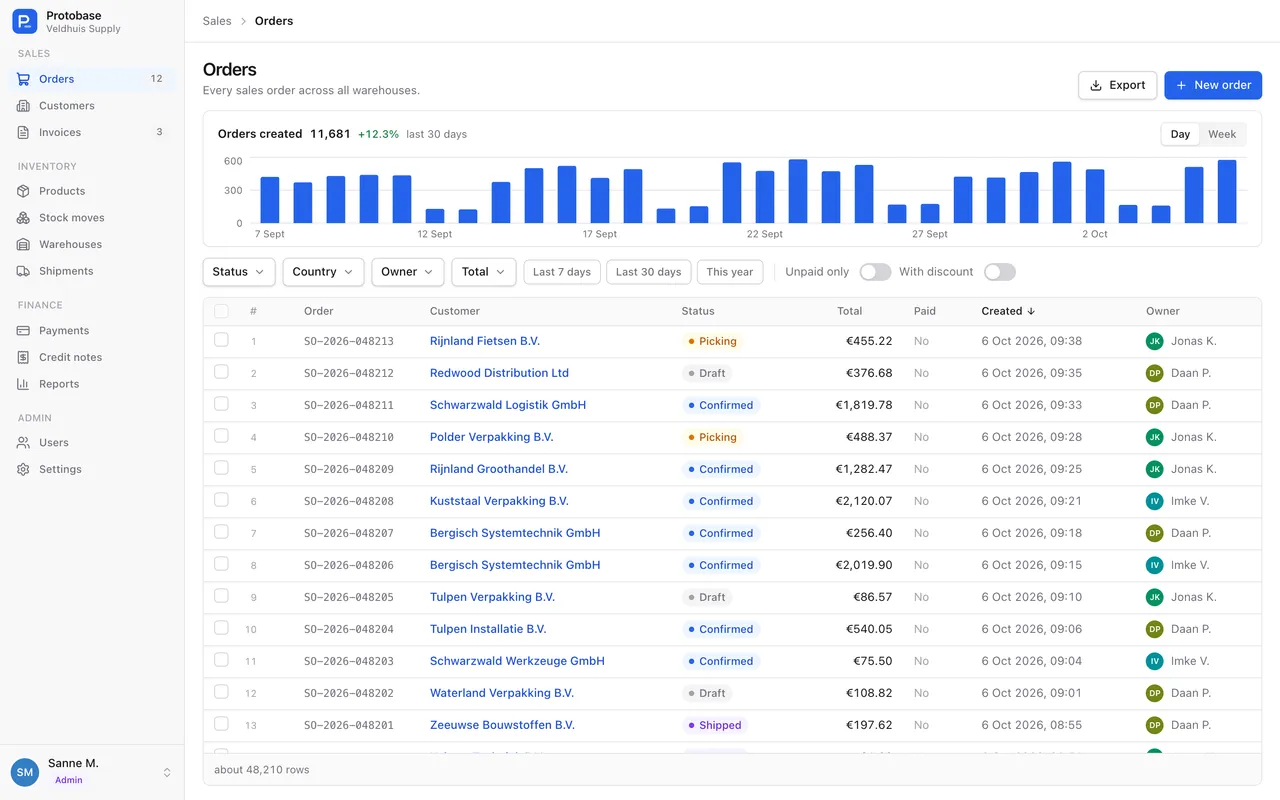
Lists
Lists that answer a question in one click
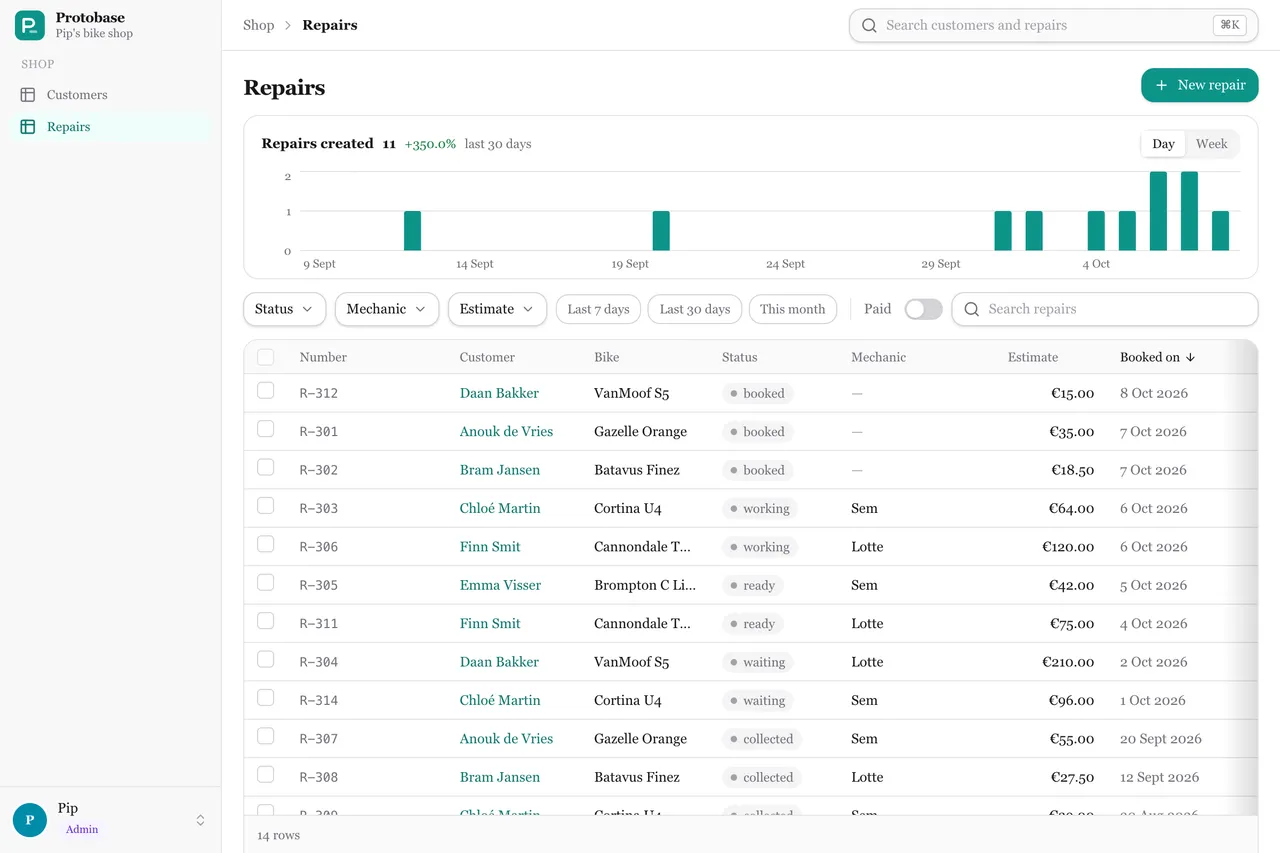
An empty view is already a working admin: every column, sorting, paging, a record page and a New button. Add columns, filters and a chart when you need them.
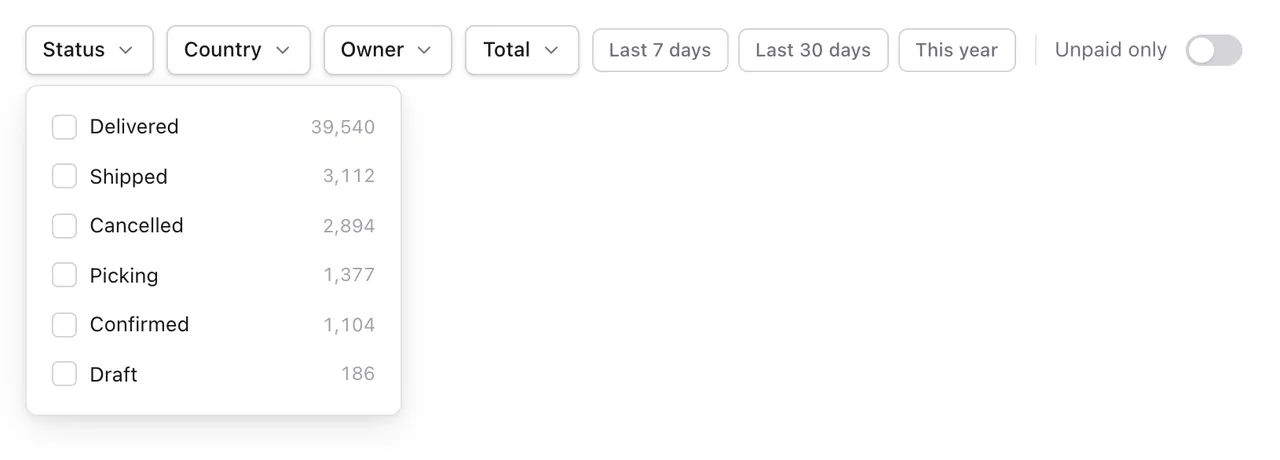
- Five filter widgets: values with counts, date ranges with presets from today to this year, ranges with a histogram, toggles, and several yes-or-no fields at once.
- Every filter writes into the address, so a filtered list is a link you can send.
- A chart above the list counts records per hour, day, week or month, and follows the filters.
- Only the visible rows are drawn and loaded, Back returns to where you were, and the scrollbar jumps straight to any row.
- Select rows to delete them in bulk, or use the menu on each row.
Displays
A table, cards, a map, or your own
The same list can switch between displays, and every display follows the same filters.
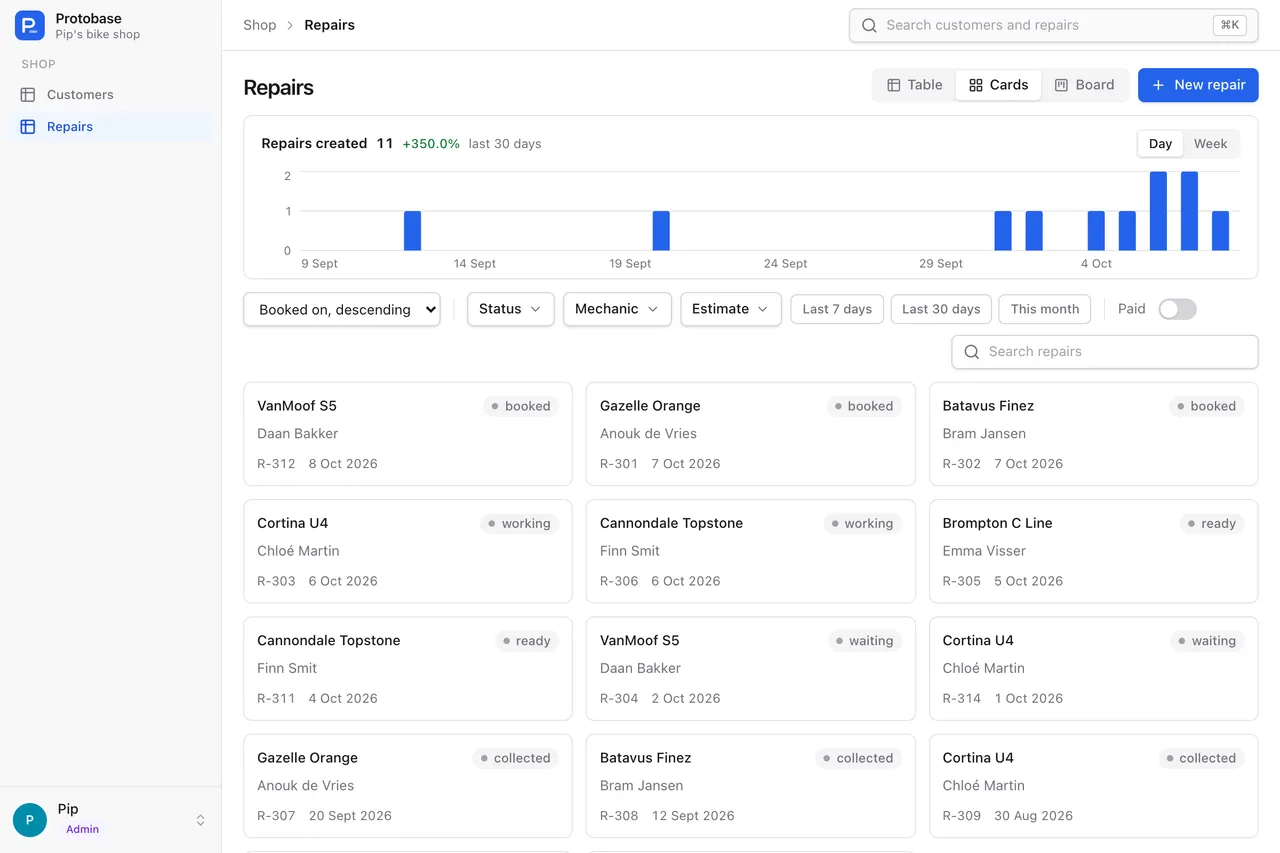
Table
Always there, with a sticky header, row selection and a row menu.
Cards
Image, title, badge and amount, a carousel of up to 10 photos, a favorite heart, and a New marker for records you have not seen.
Map
Records on a MapLibre map, clustered when zoomed out and loaded only for the area in view. Approximate positions show as hollow markers or areas.
Your own
Any React display you write, such as a kanban board.
Record pages
Record pages with the buttons your team needs
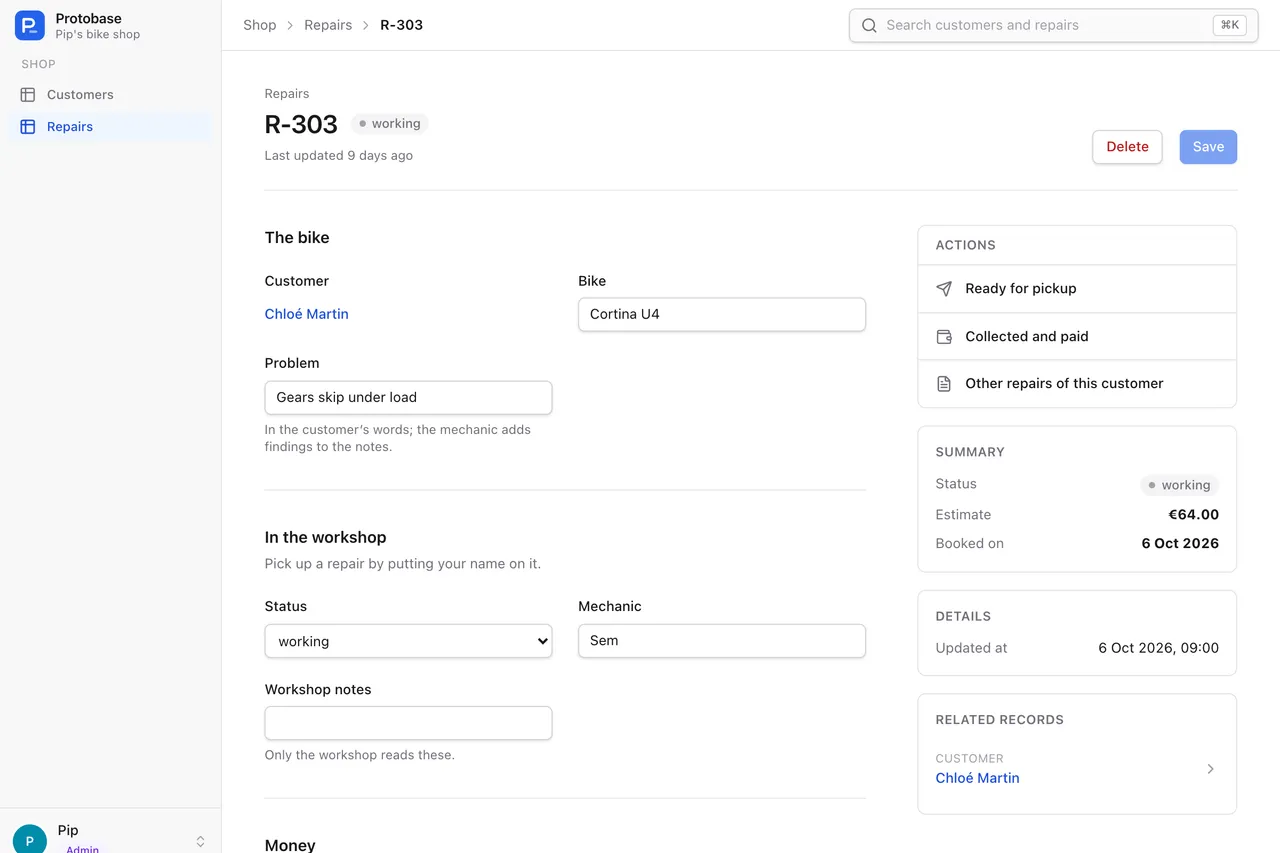
- Sections with help text, a read-only summary in the sidebar, related records including many-to-many, a map, and sections of your own.
- Named buttons set fields in one click, through the same API as Save, and ask for confirmation when you want them to.
- Links open a filtered list or an outside address, with values from the record filled in.
- A button someone may not use stays visible but disabled, with the reason in a tooltip.
- Every record carries a version, so a stale edit is refused instead of overwriting someone else’s change.
Dashboards
One page for what needs attention
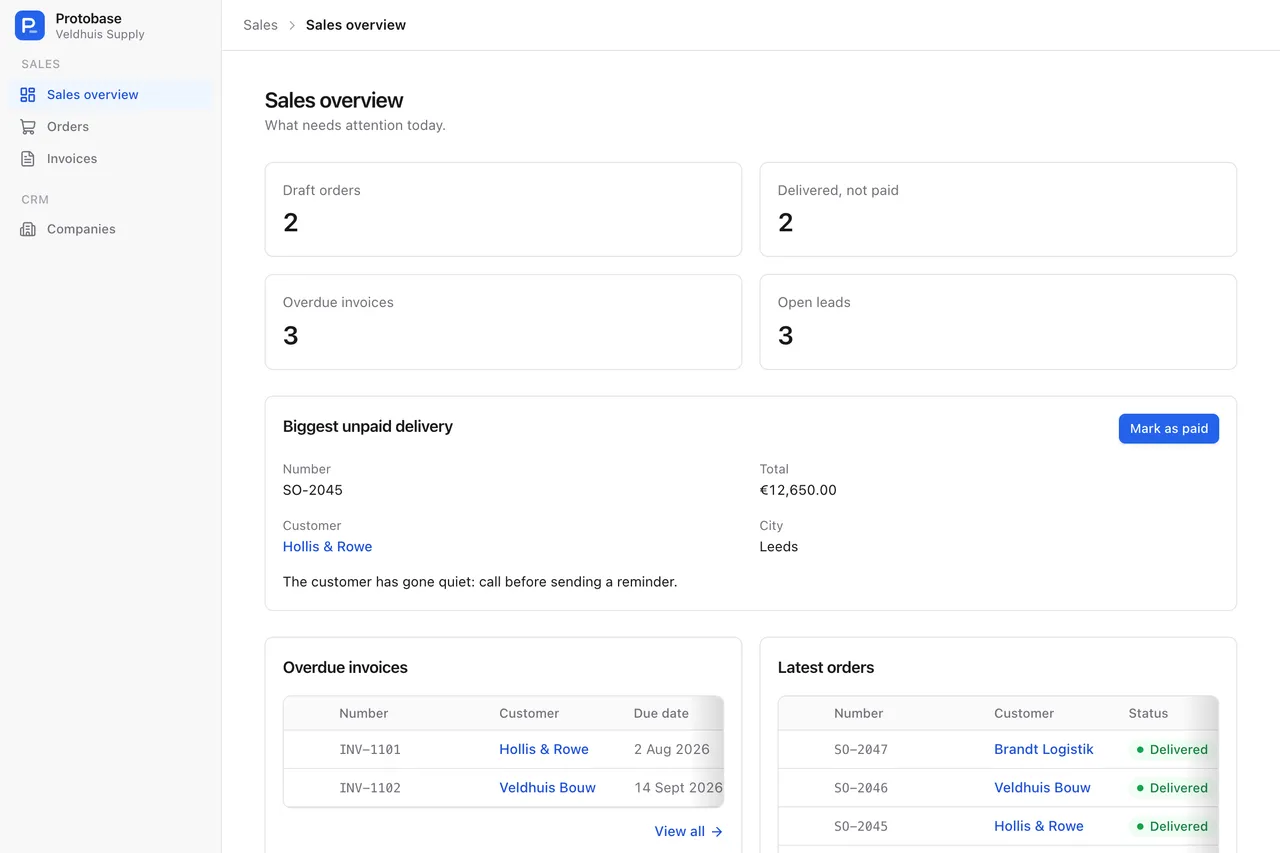
Composed pages are JSX files that compile to plain data. A count links to the list behind it, a table has View all, and a button or a form in a dialog does the next step.
- Page
- Grid
- Card
- Link
- Stat
- Table
- RecordCard
- CardRow
- RecordRow
- Field
- Progress
- Action
- ModalForm
- Show
- There are no endpoints to write and no React to maintain: a page holds data only, and the build refuses functions or state, naming the file, line and column.
- Every block reads the regular API as the person viewing it, so each person sees only what their access allows.
Finding things
Search, saved searches and favorites
Global search
⌘K searches every resource from two characters on, five records per resource.
Saved searches
Save a filtered list under a name. Update it or save a new one, with a dialog that shows what changed and which records come and go.
Alerts
Saved searches can send email. The property portal example sends new homes at once or as a daily digest.
Favorites
A heart on cards, kept per user, with a list of everything you saved.
Recent records
The sidebar can list the records you opened last, with their status.
Visitors
Anyone not signed in gets a prompt to sign in or create an account: a dialog on desktop, a sheet from the bottom on phones.
On phones
The same app, laid out for a phone
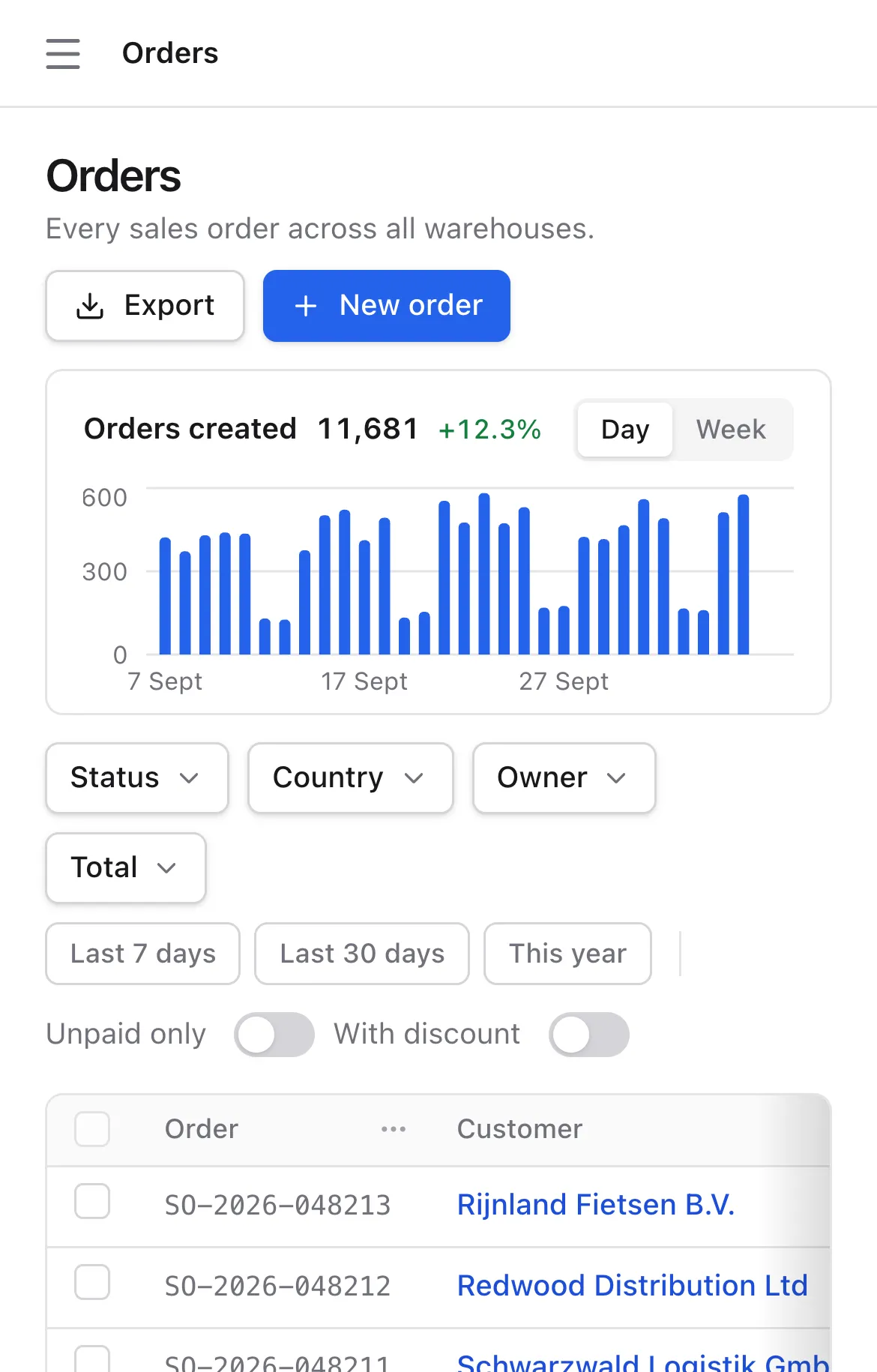
The layout changes with the screen, and a role can get the tabs it uses most at the bottom.
- Below 768 pixels the sidebar becomes a drawer, and a bottom bar can show up to four tabs per role, plus More.
- Below 640 pixels lists open as cards, and sorting and filters move into a sheet.
- Tables and related lists become rows of cards you swipe sideways, and dialogs open from the bottom.
- Maps fill the screen and pan with two fingers, and reduced motion is respected.
Your look
Your colours, your fonts
- One theme file sets 32 tokens for light and dark: colours, the corner radius and fonts, including your own.
- The build checks the file and warns about tokens it does not know.
- People switch between light, dark and system, applied before the first paint, so the page never flashes.
- Deeper changes replace a part with a plugin, such as the record card or a field type.
Good to know: the built-in screens are in English, numbers and currencies use Irish formatting, and dates use British formatting in UTC.
Start with the database you have
Install the CLI, describe your tables and run the admin on your own machine. Protobase never migrates your database by itself.
Your back office, live in a few minutes
Sign up with GitHub or email, pick a starting point, and ask the assistant for what you need.
Start in the cloudEarly access Plans from €0.99 a month.